Nara Livin. From Figma to Shopify, not a pixel out of place.
Client
Nara Livin
Year
2025
Scope of Work
Nara Livin makes home goods at the editorial end of the market. Their lamps have architectural silhouettes. Their tables have been featured in Elle Decor and Design Pataki. The brief arrived as a complete Figma design system with one instruction: match it exactly.
The brief
Madrid doesn't give you Gill Sans at nine sizes, a seasonal gifting template, or a custom lightbox for material swatches. Every spacing value, every overlay percentage, every border radius was specified in the Figma file. Approximately correct was not an option. The store launched to its first paying customers within six weeks of brief sign-off.
Madrid was the base. Nearly every front-end detail was replaced. Gill Sans is not a Google Font, so font loading was handled explicitly to ensure 9px labels render identically on Mac and Windows. A custom lightbox was written in Liquid for the swatches page. The gifting page got its own editorial Liquid template. The material swatches grid was built on Shopify metaobjects.
The store launched in 2025. After sign-off, the client reviewed the live site against the Figma file section by section. There were no revision requests on the design.
One thing I'd do differently: define the metaobject schema for swatches at the start of the project. We refactored two templates mid-build when the scope expanded from materials to include finish types.
The full store, walking.
A walkthrough of the full store: the homepage hero, collection navigation, product detail page, gifting editorial, and the material swatches lightbox opening in place.
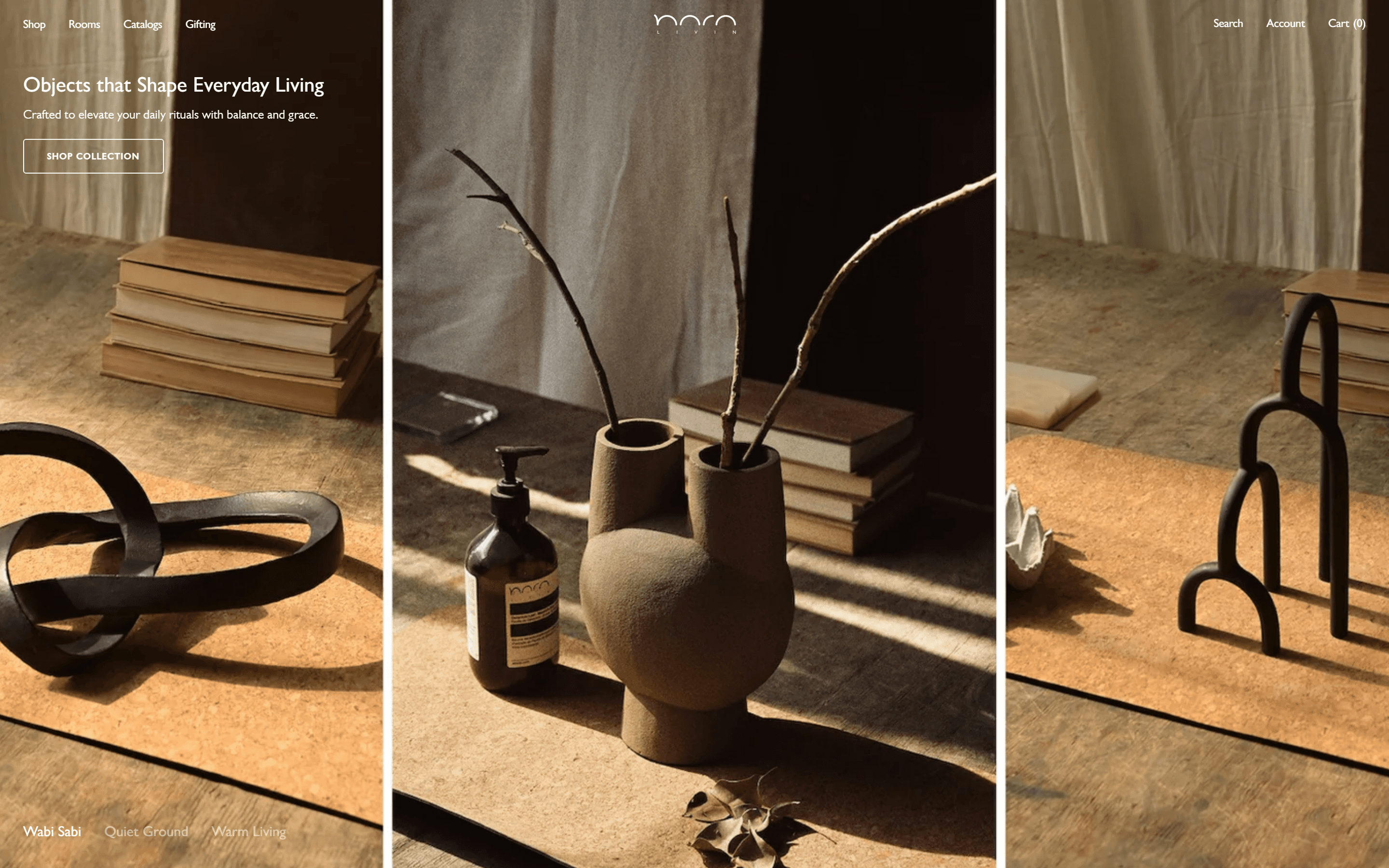
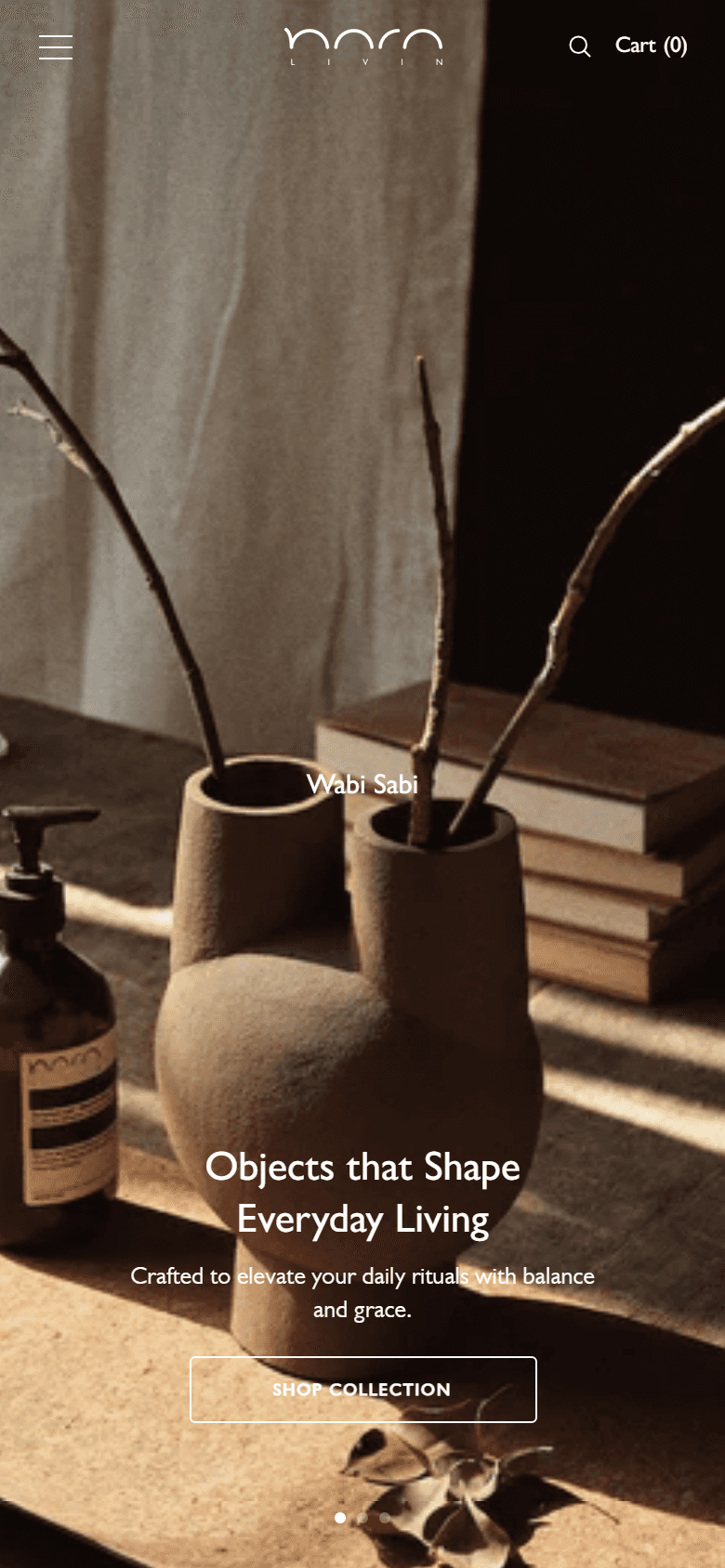
Madrid's default hero. This one was built to the Figma file.
Madrid ships a full-bleed hero with whatever image and text the merchant configures. The Figma file specified something more precise: a 10% black overlay on all photography, white Gill Sans headings at every breakpoint, and a fixed crop logic that holds from desktop to 390px mobile. The 10% value is not arbitrary. Below it, white text loses legibility against warm photography. Above it, the warmth disappears. At 390px, the overlay is the same value, the type treatment is the same, and the crop logic is the same.
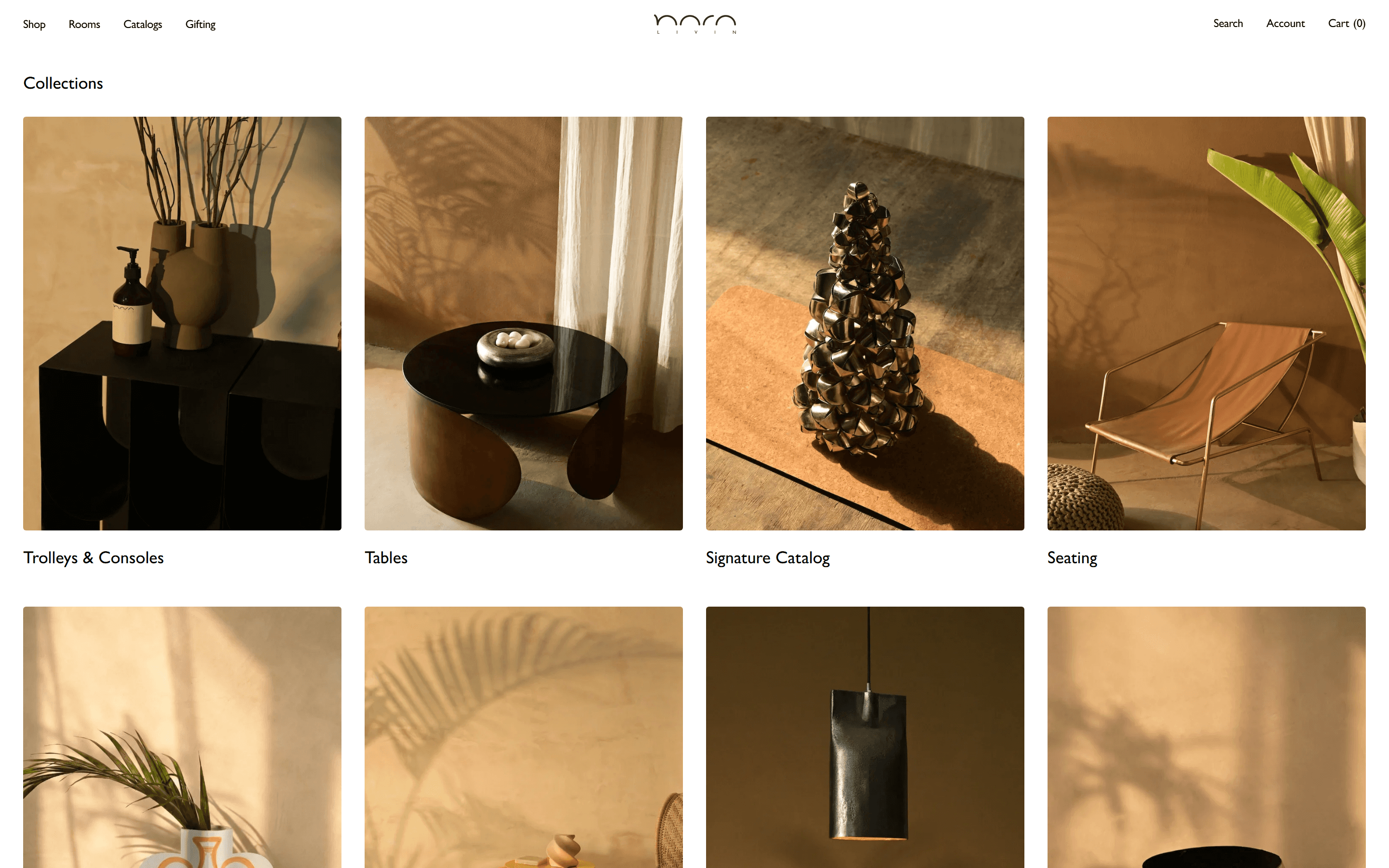
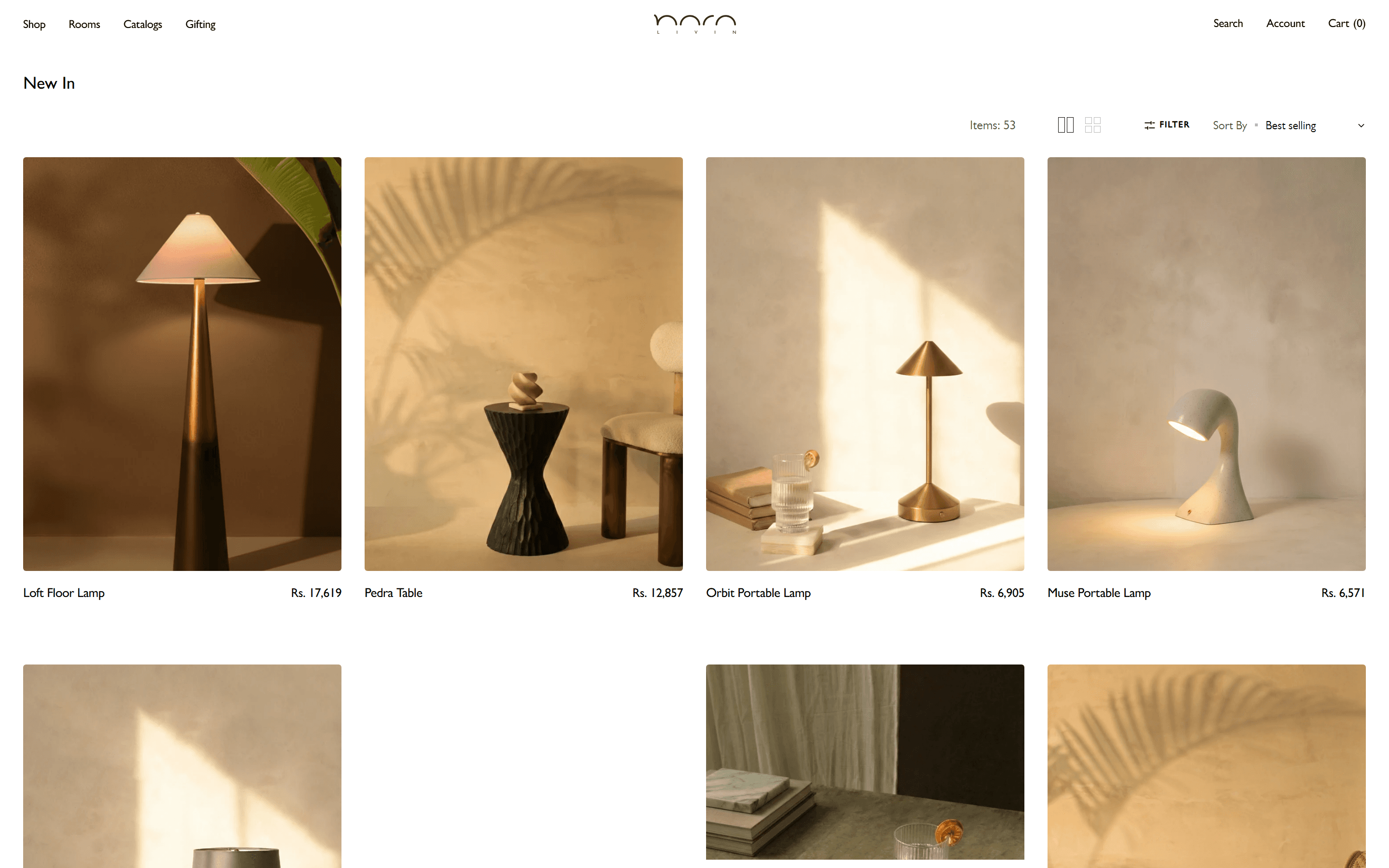
Madrid's type defaults. One Figma system built to replace them.
Madrid's theme settings give you a slider and a handful of font choices. There is no prescribed type system. The Figma file gave one: 9px Gill Sans SemiBold, uppercase, 1px letter spacing, applied to every UI label across the store: category navigation, button text, FAQ labels, colour counts, and footer headings. Every interactive element carries a 3px border radius. Not 4. Not 2. The collection cards in the New In grid use 3px because the file said 3px. Applied consistently, this system makes the store feel like a single designed object rather than a configured theme.
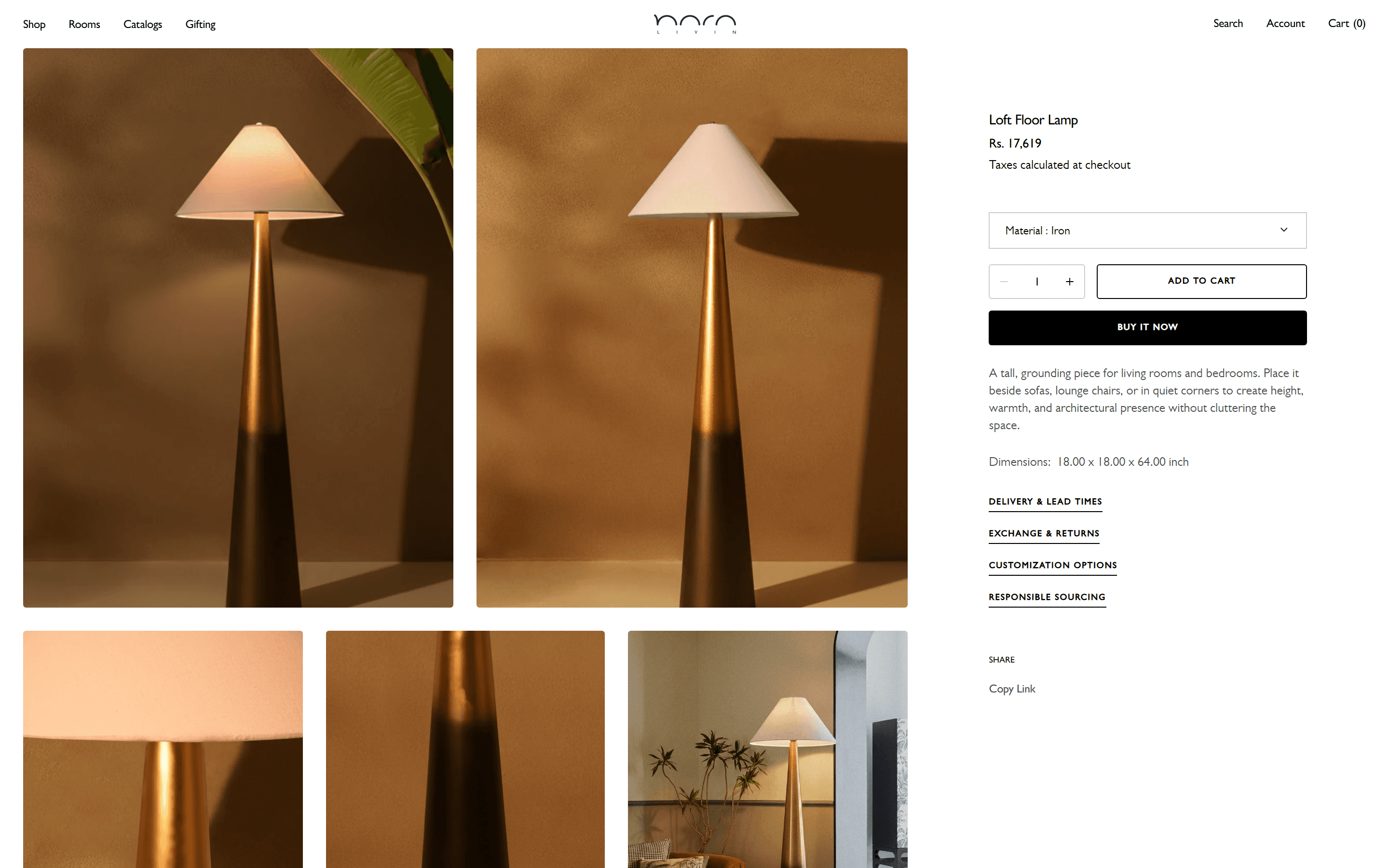
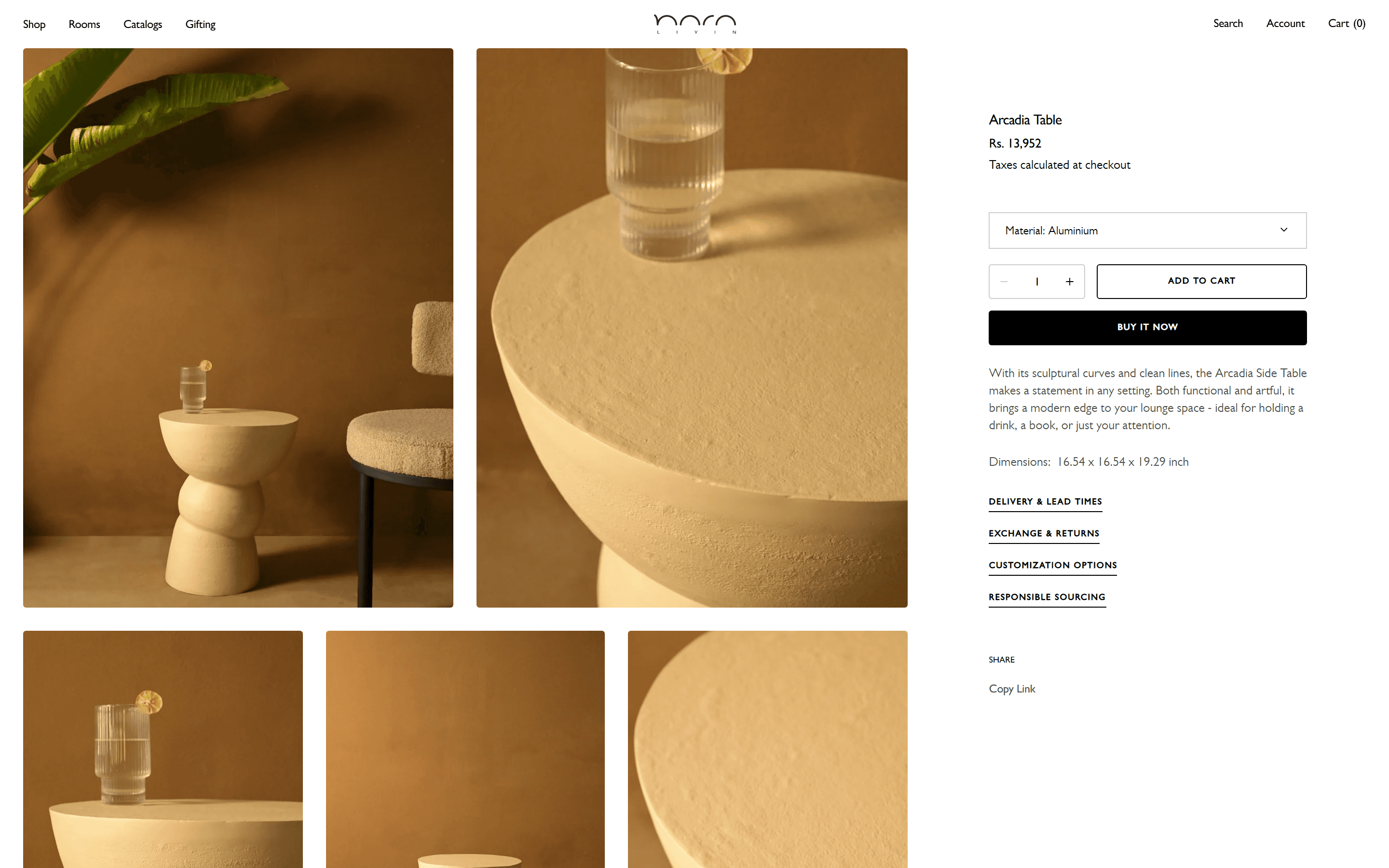
Madrid's default PDP. One where every spec in the Figma file is present.
Madrid's product page ships with a title, price, variant selector, and add-to-cart. That is the baseline. The Figma file required four accordions below the purchase block: Delivery and Lead Times, Exchange and Returns, Customisation Options, and Responsible Sourcing. Each accordion had a specified arrow direction, an open-state font size, and a separator style. All three are present in the live build. The purchase bar uses CSS position sticky at the top on scroll, no JavaScript. Gill Sans at the title and price. Figtree at 13.5px in the accordion body copy. The combination makes legibility the same across every screen size without a single font-size override in media queries.
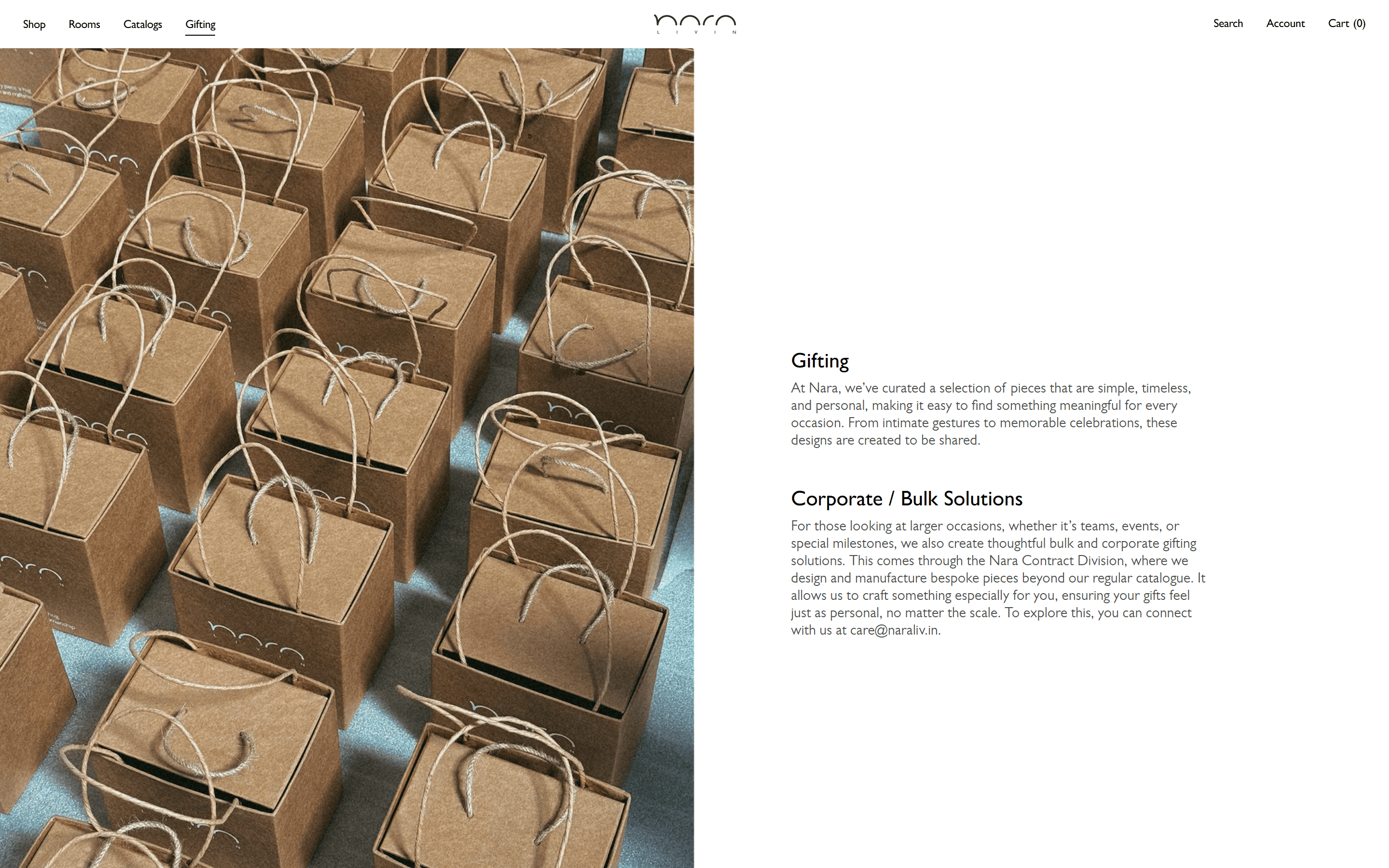
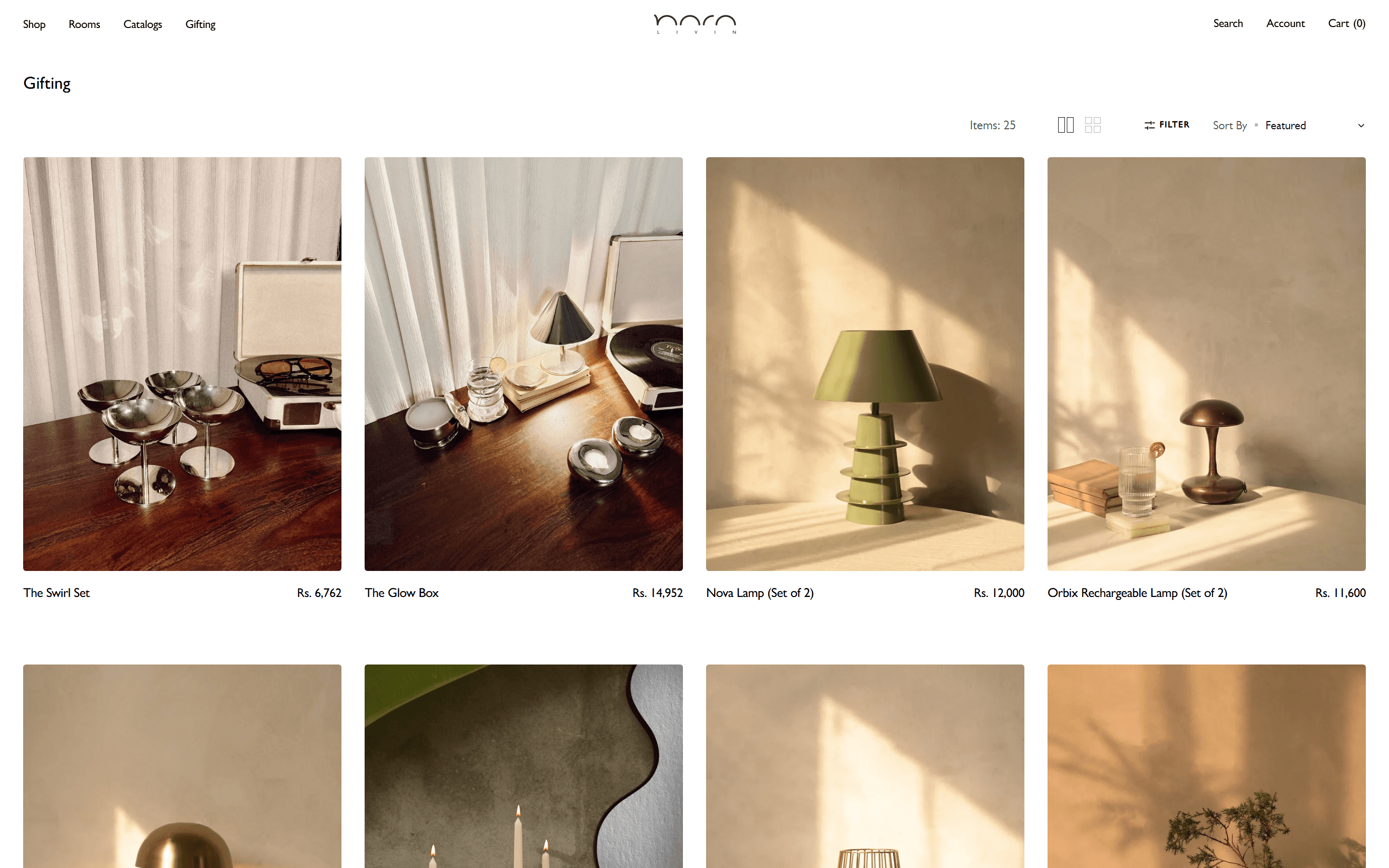
No Madrid template for this. A seasonal editorial page built from zero.
Madrid has no editorial gift-guide section type. There is no gifting layout to configure. What was built is a separate Liquid template, independent of the collection and default page structures. Full-bleed editorial photography, curated product blocks, and editable section copy are all updatable for each season from Shopify admin without touching collection data or product settings. The layout was built from scratch with no Madrid section as its base. Swapping a hero image or changing featured products takes two minutes in admin. The client can refresh the page for every seasonal campaign without filing a development request.
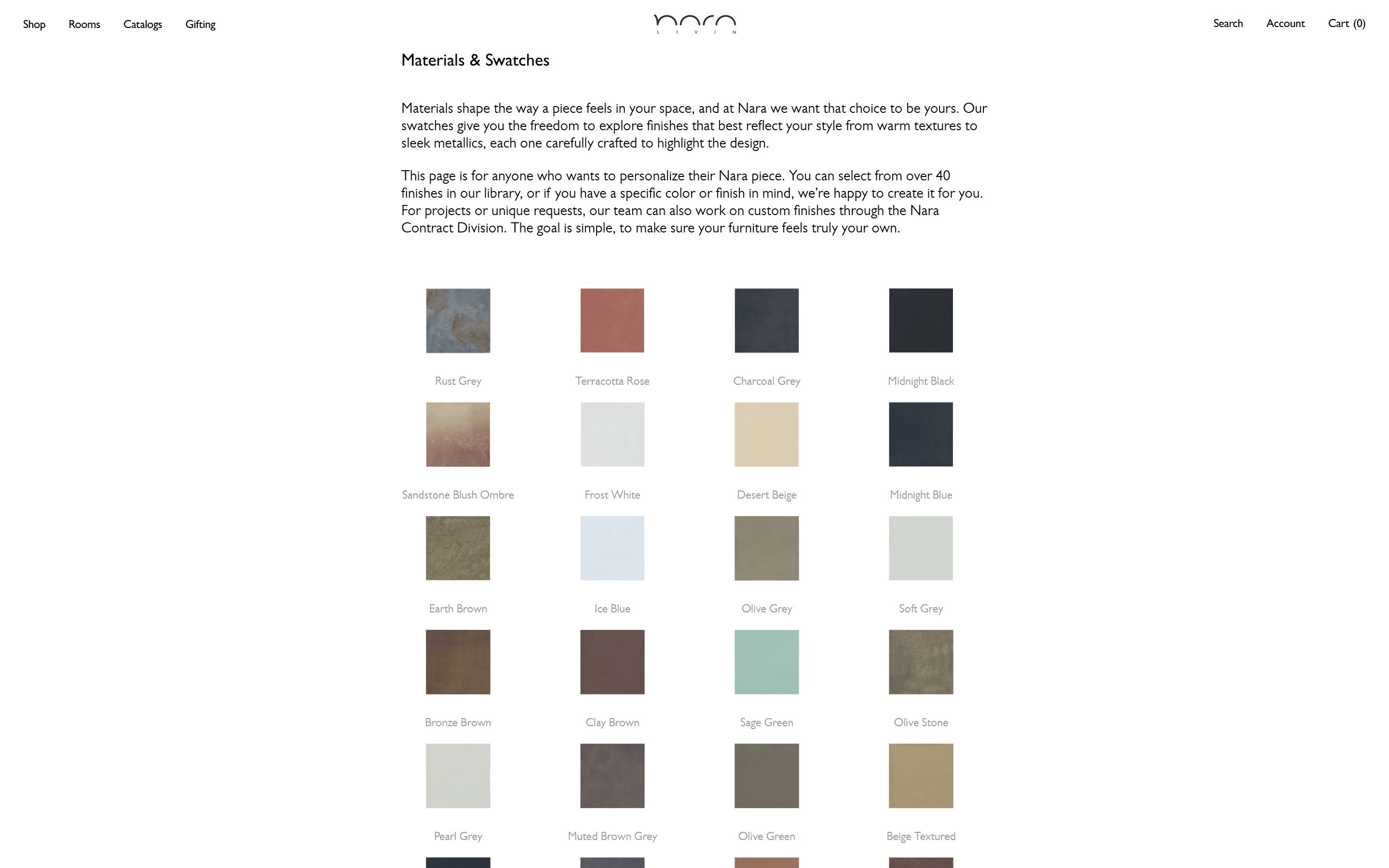
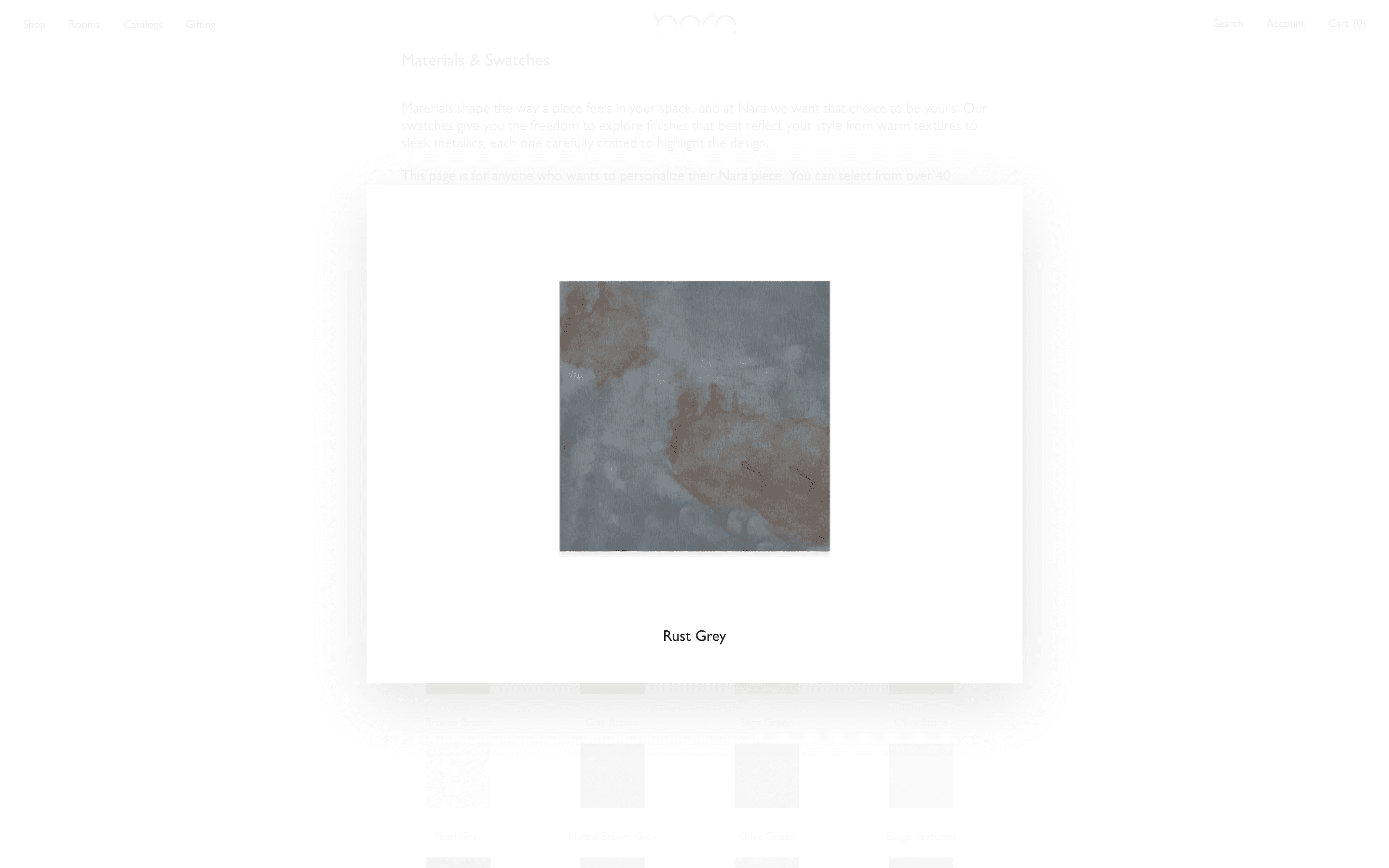
Madrid has no lightbox. This one was written in Liquid, no library.
In most Shopify themes, a swatches page gives you a grid of tiles. Clicking one goes nowhere, or navigates to a product link. What was built here is a full-resolution overlay that opens in place: the URL stays at /pages/material-swatches, a custom Liquid snippet wraps each swatch in a swatch-image-wrapper class, JavaScript listens for clicks, pulls the hi-res source, and injects it into the overlay. No third-party library. The Rust Grey swatch is shown open.
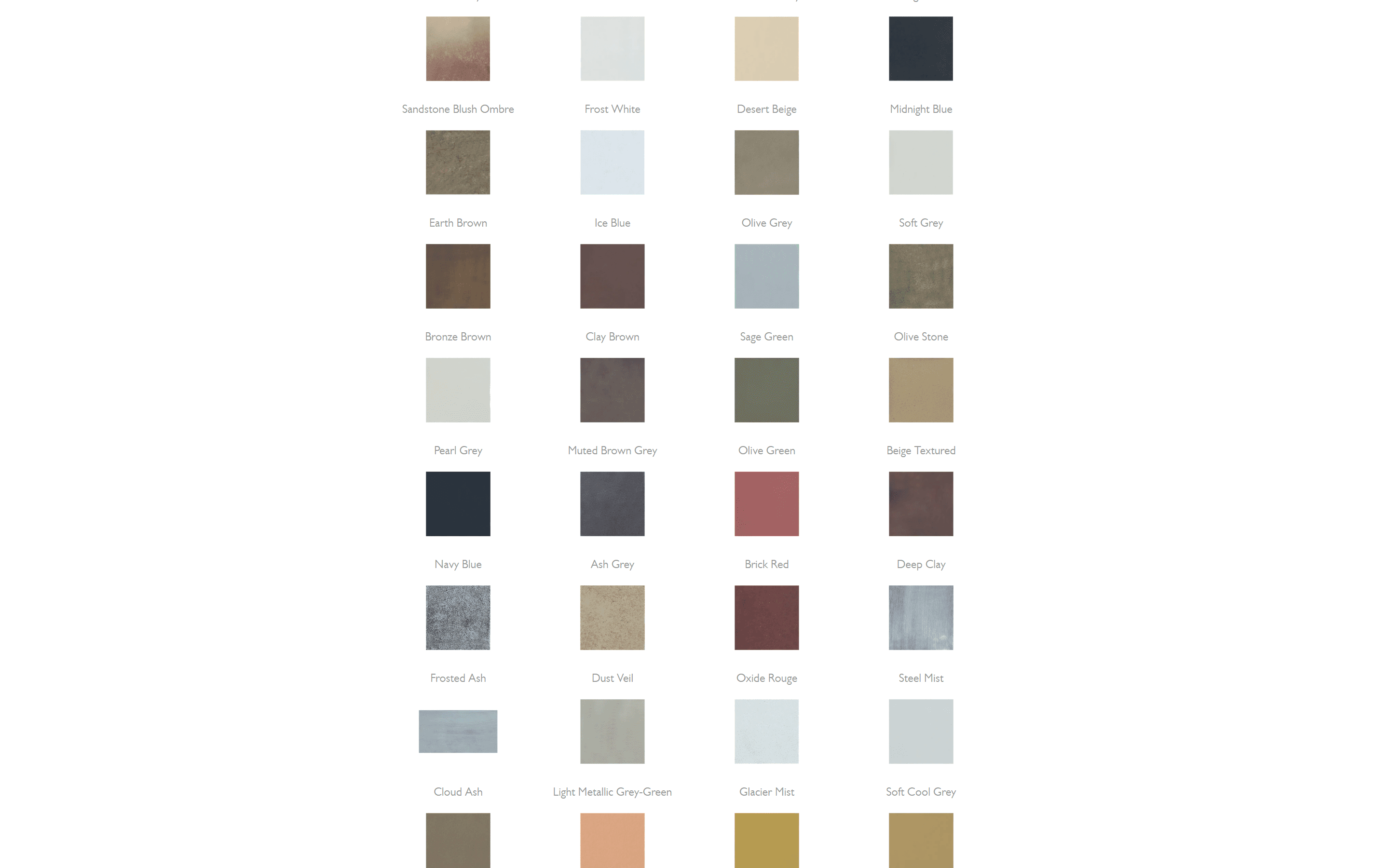
A metaobject-powered grid. Thirty materials, no code needed to update it.
A static Shopify approach to this page means images uploaded directly to a content page, no structured data, and a code change required every time a material is added or renamed. What was built instead uses a Shopify metaobject to power the grid. Adding or updating a material requires no code change. Each tile renders the material name and finish type in 9px Gill Sans below the swatch image, with a 3px border radius, the same 3px used across every interactive element in the store: buttons, image containers, input fields, and the variant dropdown. The grid currently shows thirty materials. When the range grows, the team updates a metaobject record, not a template file.
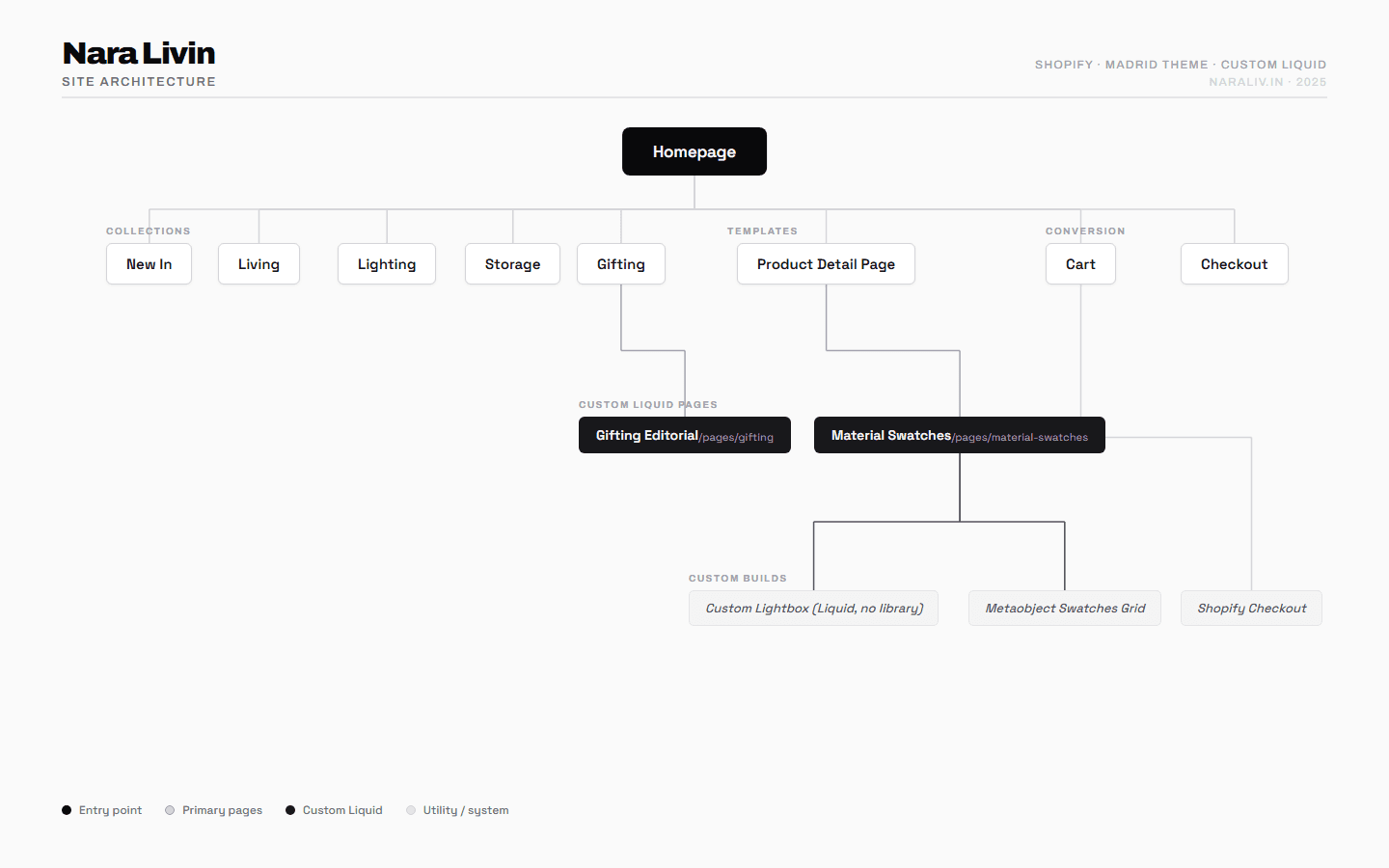
Figma delivered every decision. The build followed the file.
The Figma file for Nara was not a reference: it was a specification. Every typeface, size, spacing value, overlay opacity, and border radius was defined before a single line of Liquid was written. The Madrid theme was selected as the base because its section layout matched the Figma grid closely enough to avoid a full custom theme build. Each section was translated in the order it appeared in Figma: hero, navigation, collection grid, product page, custom pages. The lightbox and gifting template were built as separate Liquid snippets with no dependency on Madrid's section structure, keeping them isolated and easy to maintain. Font loading was handled via a theme snippet that serves Gill Sans explicitly, because Gill Sans is not available through Google Fonts and fails to render on Windows without explicit serving. Building in Figma file order meant each section was signed off before the next began, which reduced revision cycles significantly.
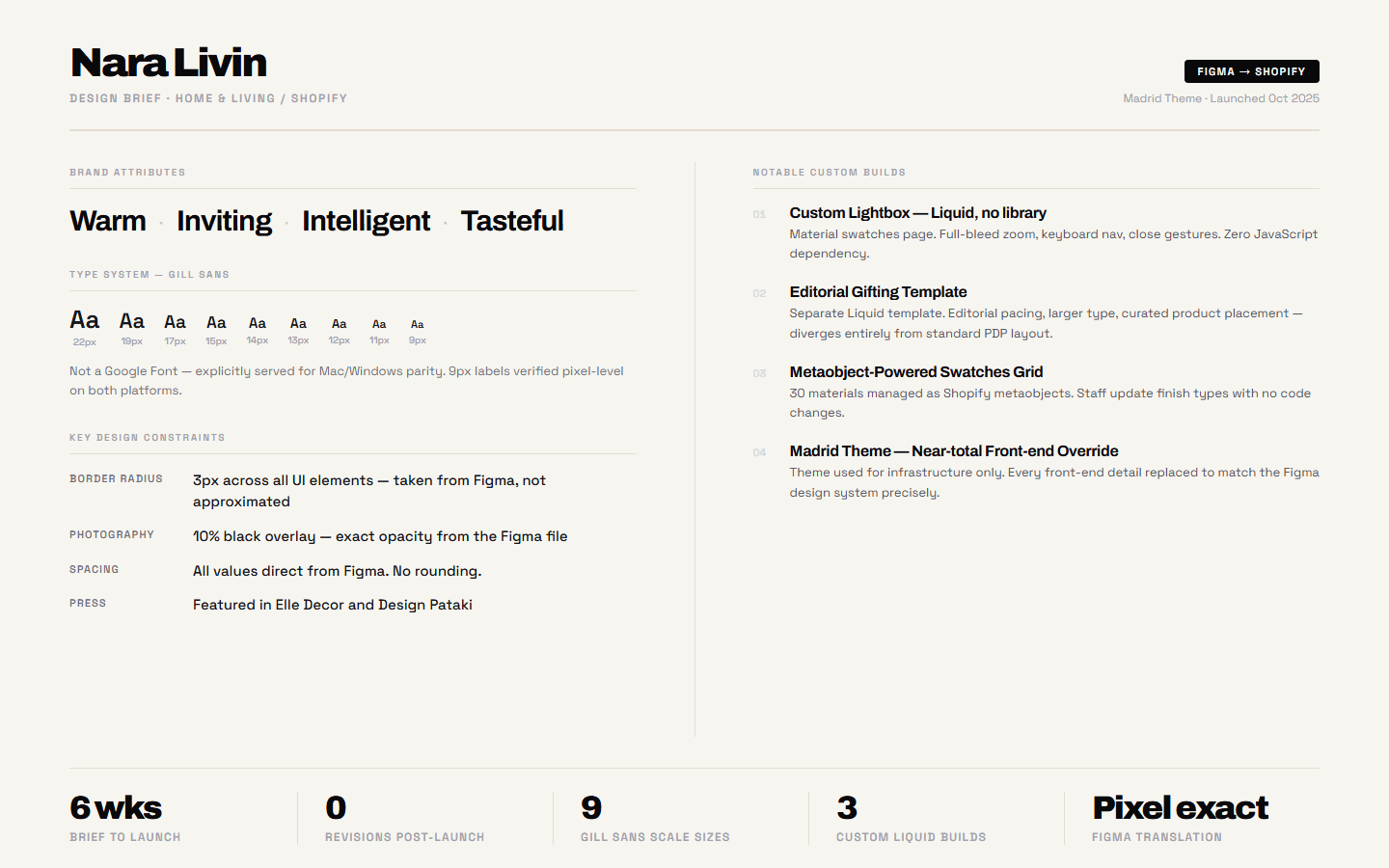
Research before Liquid.
The brief for Nara was unusual: the brand came in with a finished design system, not a mood board. That shifted the work from ideation to translation and technical specification. Before writing any Liquid, every component in the Figma file was reviewed: interactive states, responsive behaviour, font weights at each breakpoint, image aspect ratios. The Gill Sans licensing was confirmed. The Madrid theme was reviewed against the Figma layout grid to identify where standard sections could be adapted and where custom Liquid was needed. The swatches page and the gifting template were flagged as custom builds in the first review session. The upfront audit meant no scope surprises mid-project: every decision was documented before the build began.
One thing I would do differently
Confirm the Gill Sans licensing and serving method in the first meeting, not the second. It caused a delay on Windows QA that could have been avoided. Font serving for non-Google fonts should be a checklist item at brief stage on every project.
Performance.
The store runs on the Madrid theme with custom Liquid and no third-party JavaScript for core interactions. The purchase bar uses CSS position sticky. The lightbox is vanilla JavaScript listening on a Liquid-rendered class. Core Web Vitals from PageSpeed Insights, October 2025: mobile 88, desktop 96.